


Coming soon! vPlan AI - Driven by people -> Discover more
Discover why organisations are switching from ClickUp to vPlan. While ClickUp focuses primarily on task management and workflows, vPlan helps organisations gain control over capacity, processes and operational planning.
With vPlan, you don't just plan tasks; you manage the entire process, maintain control over capacity and gain insight into progress.
.svg)


.svg)
.svg)
vPlan is, unlike Asana, a Dutch organisation. You're working with a local team that understands your market, culture, and processes. Whether it's about setup, integrations, or training, our consultants actively think along with you.
Asana offers a Dutch interface and documentation, but when it comes to questions or implementation, you're usually assisted by English-speaking support teams or external partners.

Unlike Monday.com, vPlan is fully developed in the Netherlands. That means you are working with a local company that understands your market and way of working. Whether it is setup, integration or training, our team is ready to support you in your own language.
With vPlan, you’re not on your own. You receive support from a support team that understands your organisation and processes. In addition, our consultants are happy to help you set up vPlan optimally for your way of working.
This helps you get more out of the software and ensures the setup is better aligned with your team’s day-to-day work. With ClickUp, support is mainly provided through international helpdesks and self-service documentation.
Unlike Trello, vPlan is entirely developed in the Netherlands. This means you work with a local organisation that understands your market and way of working.
Whether it’s setup, integration or training, our team is ready to support you in your own language.
Unlike Microsoft Project, vPlan is a Dutch organisation. You’ll work with Dutch- and English-speaking support and consultants who understand your market and processes. Whether it’s configuration, integrations or training, we actively think along with you. Microsoft Project does offer documentation, but personal guidance is usually provided through external partners.
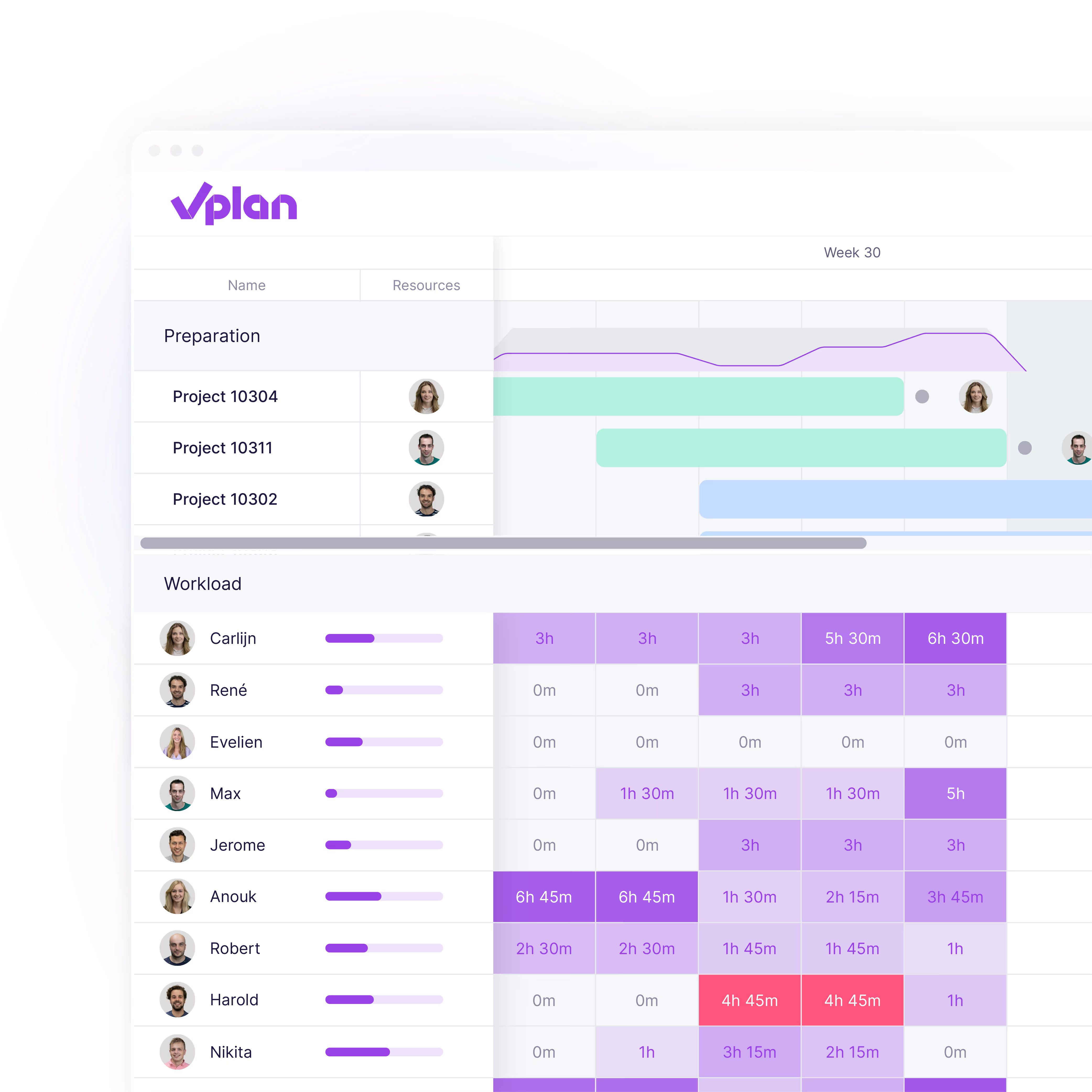
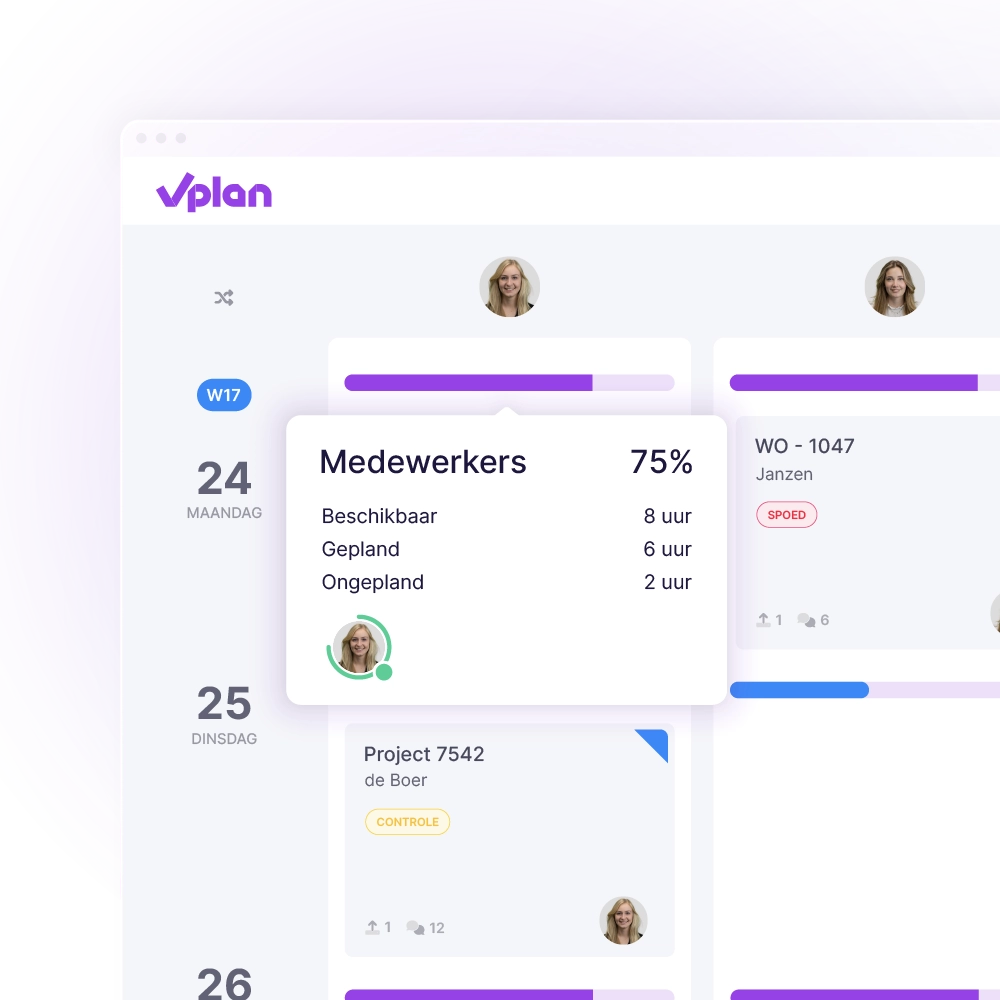
In vPlan you don't just plan tasks, you plan capacity. You can instantly see how much room each team or individual still has and where bottlenecks are emerging. This helps you maintain a clear overview, even across multiple projects.
In Asana, you mainly work at task level; team capacity is not displayed centrally.
In Monday.com, planning is mainly focused on tasks and deadlines. That may seem clear, but without insight into capacity, you have no idea whether your schedule is actually feasible. Teams can become overloaded or, on the contrary, have too little to do.
With vPlan, you immediately see how much capacity each team or person truly has. You plan based on availability and workload, allowing you to set realistic deadlines and maintain control over execution.
With vPlan, you can immediately see how much capacity is available within your organisation. This means you know exactly whether there is room to take on new assignments, projects or work, without overloading your planning.
Gain insight into the available capacity per department, employee, vehicle or machine and make timely adjustments when bottlenecks arise. This way, you not only create a well-organised planning, but above all a planning that remains achievable in practice.
vPlan helps teams plan work realistically based on capacity, availability and priorities. You can immediately see how much work is planned, who has capacity and where bottlenecks are emerging.
Trello mainly works with individual tasks and Kanban boards. This is useful for simple workflows, but provides less insight into capacity or workload.
In vPlan, you don’t just plan projects, you also stay in control of available capacity. At a glance, you can see how much space there is per team, department or employee, and where the bottlenecks are.
Whether you’re planning for the short or long term, vPlan makes it easy to avoid overload and allocate capacity wisely. This way, you prevent surprises on the work floor and in your planning.
vPlan integrates seamlessly with Exact Online, AFAS, SnelStart and other Dutch ERP and accounting systems. Orders, projects, and hours are synchronised automatically, no duplicate work or errors.
Asana lacks direct integrations with Dutch systems; custom solutions or third-party apps are often required.
vPlan connects effortlessly with the tools you already use. Think of Exact Online, AFAS, Ridder, and SnelStart. Orders, projects, and hours are automatically synced, without manual work or errors.
Monday.com does not offer direct integrations with Dutch systems and often requires custom development or external integrators.
vPlan integrates easily with software that many Dutch organisations use every day, such as Exact Online, AFAS and Simplicate. This means projects, orders and hours are automatically synchronised.
ClickUp offers integrations with many international tools, but is less well suited to Dutch business software and operational processes.
vPlan integrates with systems that many Dutch organisations use every day, such as Exact Online, AFAS and Simplicate. This means projects, orders and hours are automatically synchronised.
With Trello, extensive integrations often depend on external Power-Ups or additional tools.
vPlan integrates easily with Dutch ERP and accounting systems such as Exact Online, AFAS and SnelStart. This allows orders, resources and hours to be synchronised automatically.
It prevents duplicate work, reduces errors and ensures a planning process that’s truly connected to your organisation. In Microsoft Project, these kinds of integrations are only possible through custom solutions or additional tools.
Whether you want to track a single employee or get a full picture of all projects, vPlan offers the right view. Work with boards, timelines or lists, fully visual and flexible.Asana mainly uses separate boards per project, which makes it easier to lose context when managing multiple workflows.
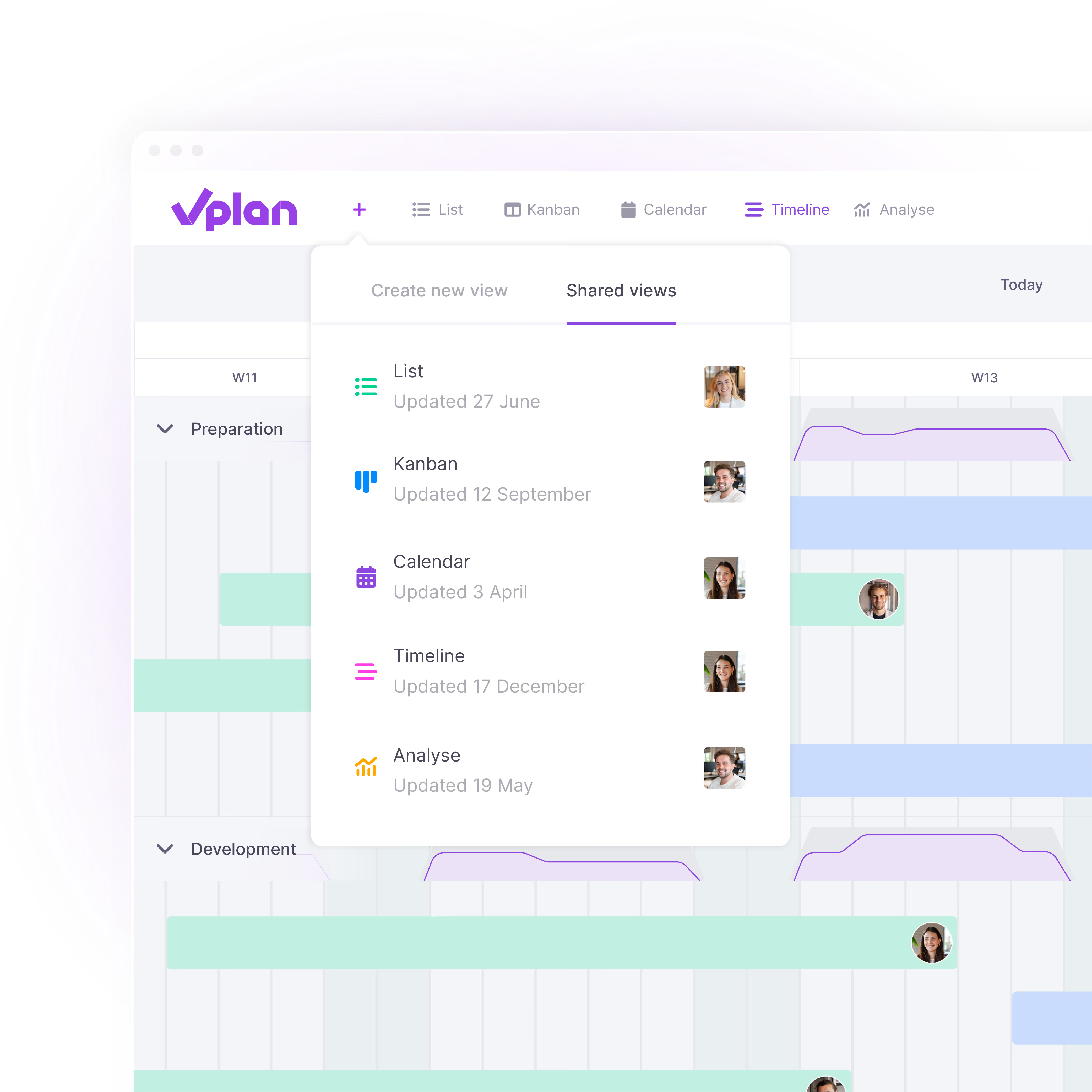
In Monday.com, you usually view your planning from a single perspective with all tasks and deadlines. In vPlan, you have the freedom to view your planning in the way that gives you the most insight: by person, team, project, or status.
Easily create multiple views within your planning and switch between them effortlessly. This allows you to see the same planning from different angles. From a timeline showing your work by status, to a calendar offering insight into work per team member.
With vPlan, you can set up processes to match the way your organisation works. Plan work, for example, by process step or let teams collaborate across different phases of a project or production process. This gives you insight not only into individual tasks, but into the entire process.
ClickUp focuses primarily on task management and workflows. As a result, there is less visibility across the entire operation when multiple teams, departments and processes come together.
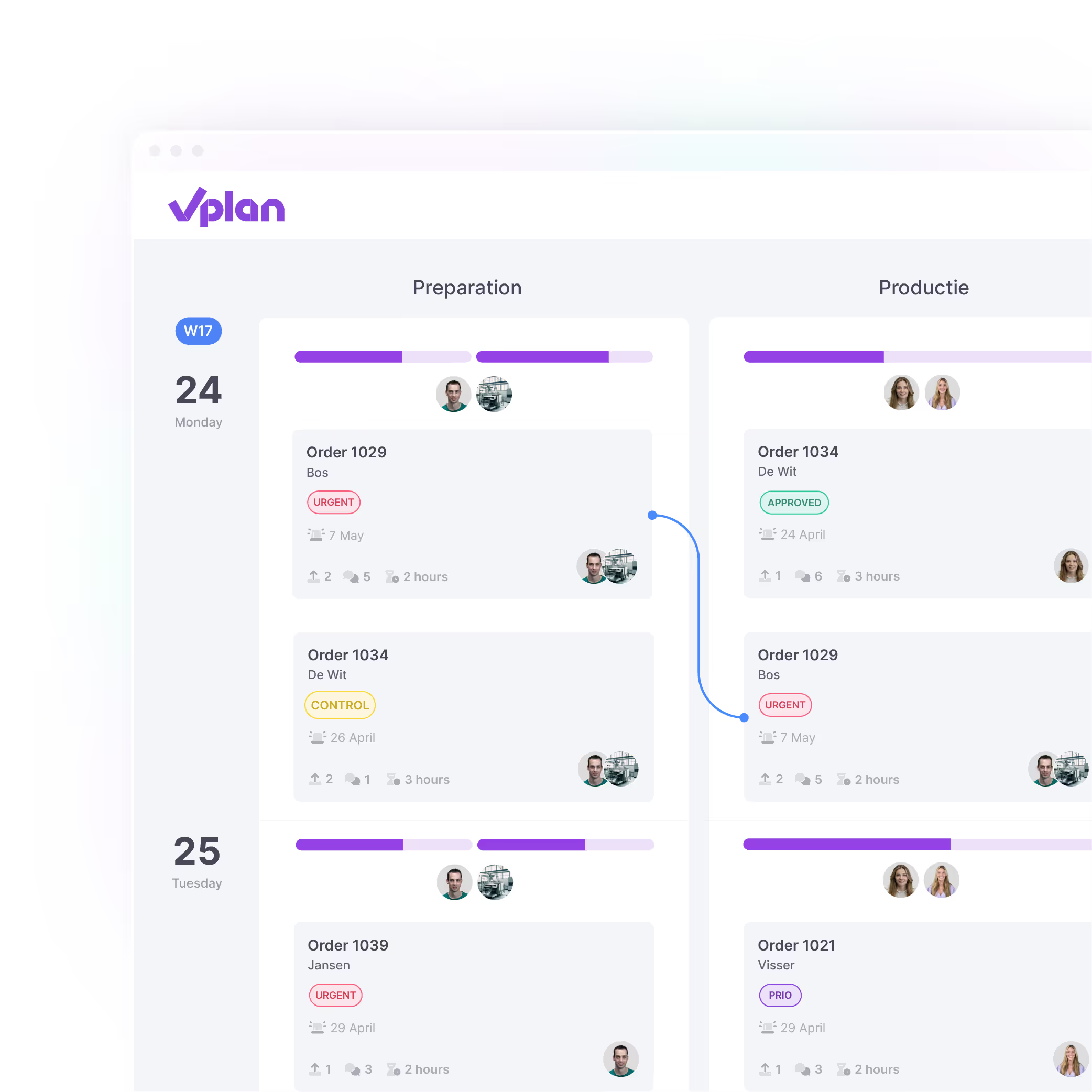
With vPlan, you connect projects, teams and plannings in one central overview. This gives you insight not only into individual tasks, but into the entire process, from requests and planning to execution and progress. You can immediately see what is achievable, where bottlenecks are emerging and where adjustments are needed.
In Trello, the focus is mainly on individual tasks within separate boards. This means you have less visibility of the overall process and it becomes more difficult to maintain a clear overview.
In vPlan, you decide how you view the planning. Work with projects that you can group, filter or label. Whether you want to track a single employee or get an overview of all projects, you choose the perspective.
Microsoft Project mainly provides detail at task level via Gantt charts. These are powerful, but in larger plans they quickly become cluttered and difficult to read.
Secure, transparent, and fully GDPR-compliant.
With vPlan, your data remains securely stored in ISO 27001-certified data centres within the EU. This provides organisations with greater control, predictable compliance, and confidence when operating under strict European privacy regulations.
Secure, transparent, and fully GDPR-compliant.
With vPlan, your data remains securely stored in ISO 27001-certified data centres within the EU. This provides organisations with greater control, predictable compliance, and confidence when operating under strict European privacy regulations.
Secure, transparent, and fully GDPR-compliant.
With vPlan, your data remains securely stored in ISO 27001-certified data centres within the EU. This provides organisations with greater control, predictable compliance, and confidence when operating under strict European privacy regulations.
With vPlan, you work with a platform developed for European organisations. Your data is securely stored in ISO 27001-certified data centres and processed in accordance with GDPR guidelines.
Trello complies with international security standards, but is part of the American company Atlassian. Depending on the setup, data may be processed outside Europe. For organisations with strict requirements regarding compliance and data storage, this can be an important consideration.
In vPlan, planners and operators work together in one system. Engineers, team leaders or employees can view their tasks, log time, add documents and complete forms, all via the app or desktop. Of course, it’s also possible to export your planning.
For teams that need to look ahead on a daily level for 4 to 6 weeks, vPlan offers the clarity that’s often lost in MS Project. There, the planning is often only visible at a high level.
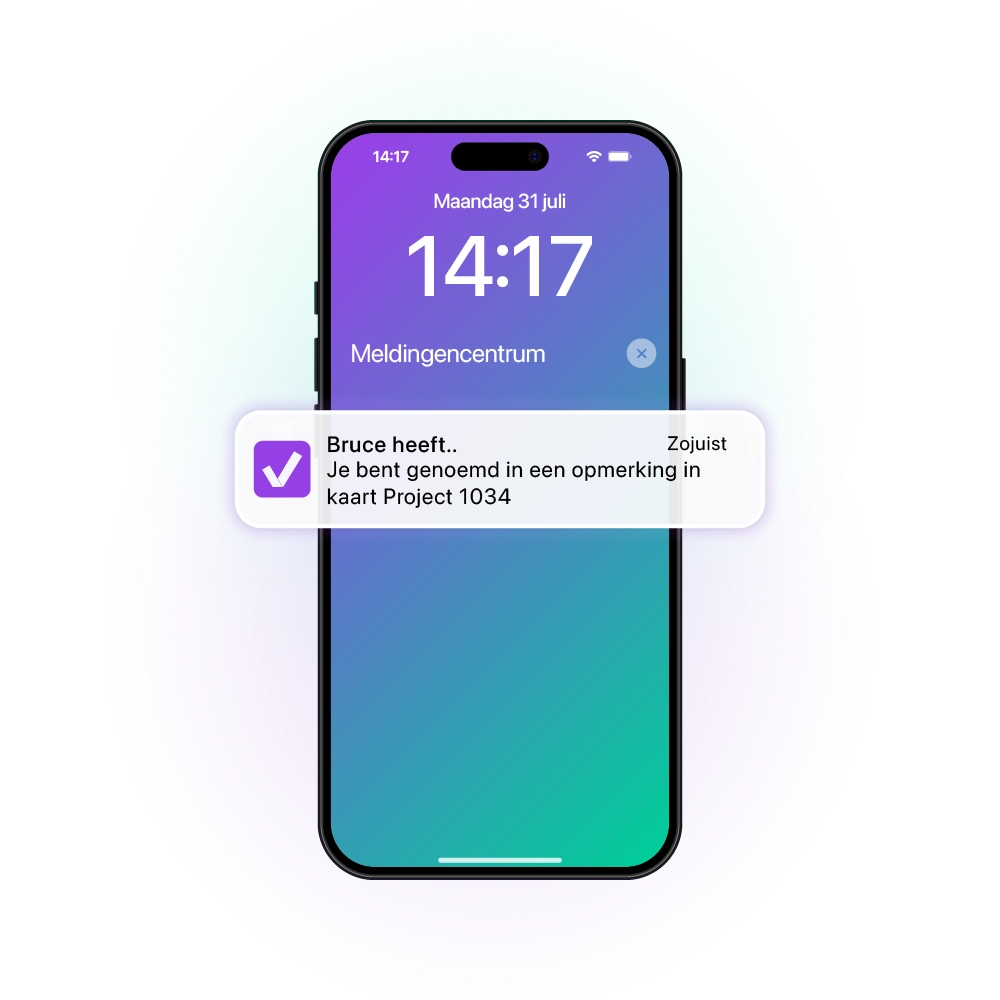
In Monday.com, you often create a separate board for each project. That might seen clear, but it makes it difficult to view the progress of all your projects at a glance.
In vPlan, you can bring everything together in one clear planning board. This allows you to instantly see how all work is progressing and where capacity is available or tight. Want to focus on the progress of just one project? Simply use the filters or search within your planning board.

In Monday.com, you often create a separate board for each project. That might seen clear, but it makes it difficult to view the progress of all your projects at a glance.
In vPlan, you can bring everything together in one clear planning board. This allows you to instantly see how all work is progressing and where capacity is available or tight. Want to focus on the progress of just one project? Simply use the filters or search within your planning board.
Every employee needs different information. That’s why vPlan allows you to view the same planning in different ways and personalise views. This means you always work from one central planning, but with a view that matches the user’s role.
ClickUp offers many different dashboards and views, but these are less focused on operational planning and collaboration between planning and execution.
Every planner works differently. That’s why vPlan gives you the freedom to view the same planning in the way that provides the clearest overview. Easily switch between a timeline, calendar, Kanban or list view and maintain control over deadlines, capacity and progress.
In Trello, you mainly work with Kanban boards. This works well for task management, but provides less visibility when multiple teams, projects and plannings come together.
Not everyone needs to see or edit everything in your planning. In vPlan, you can define per user who can do what. Whether it’s planning, editing or view-only access.
In MS Project, you usually grant access to the entire project file or none at all. This limits control or introduces unnecessary risks.

In Monday.com, new tasks go straight into the planning, even if they're not yet ready for execution. This quickly leads to a cluttered and overloaded planning, or even seperate paper lists.
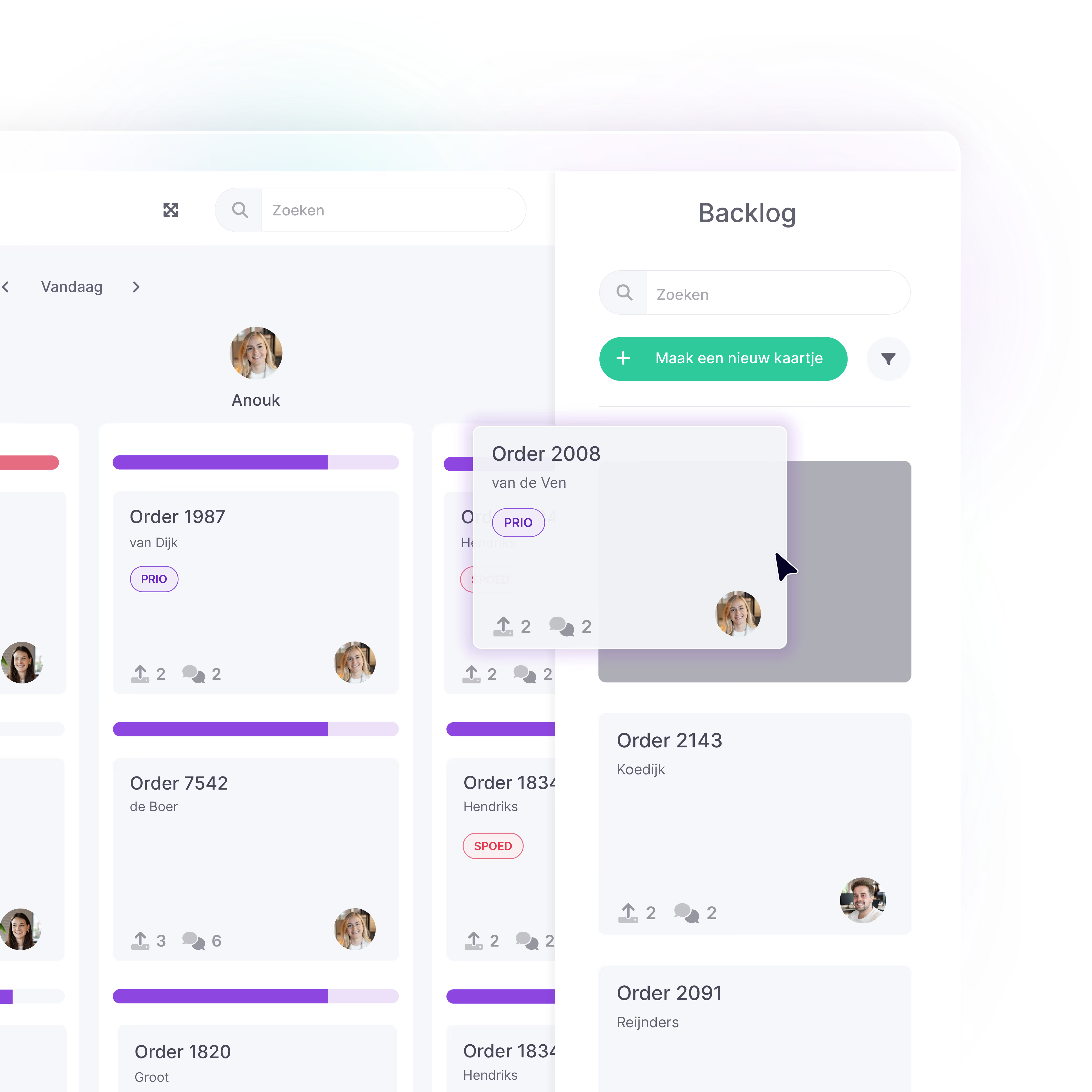
With vPlan, you can collect unplanned work in the backlog. One central place for incoming projects, ideas, orders, or tasks. From there, you only plan what really needs to be planned, when it fits within your capacity.
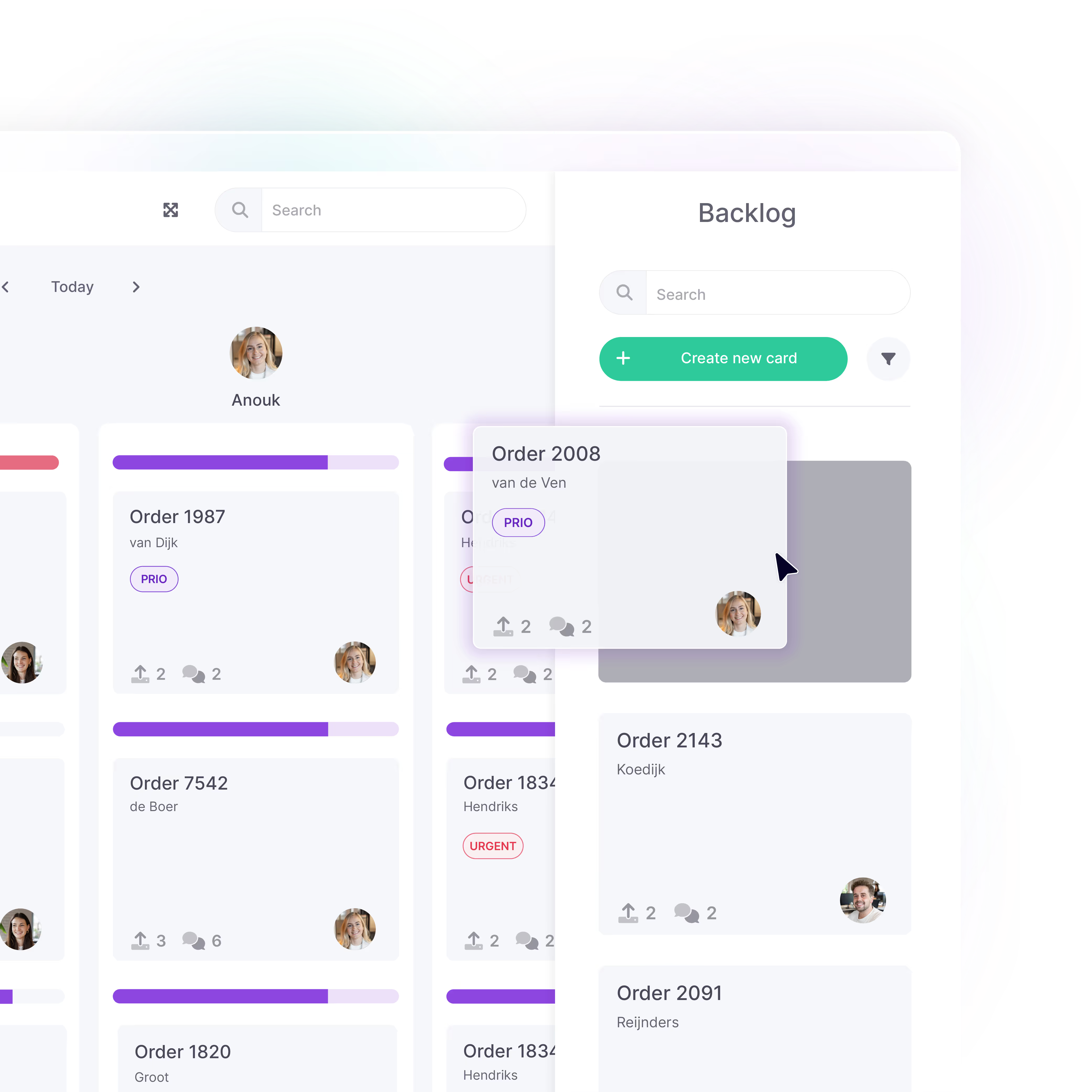
In Monday.com, new tasks go straight into the planning, even if they're not yet ready for execution. This quickly leads to a cluttered and overloaded planning, or even seperate paper lists.
With vPlan, you can collect unplanned work in the backlog. One central place for incoming projects, ideas, orders, or tasks. From there, you only plan what really needs to be planned, when it fits within your capacity.
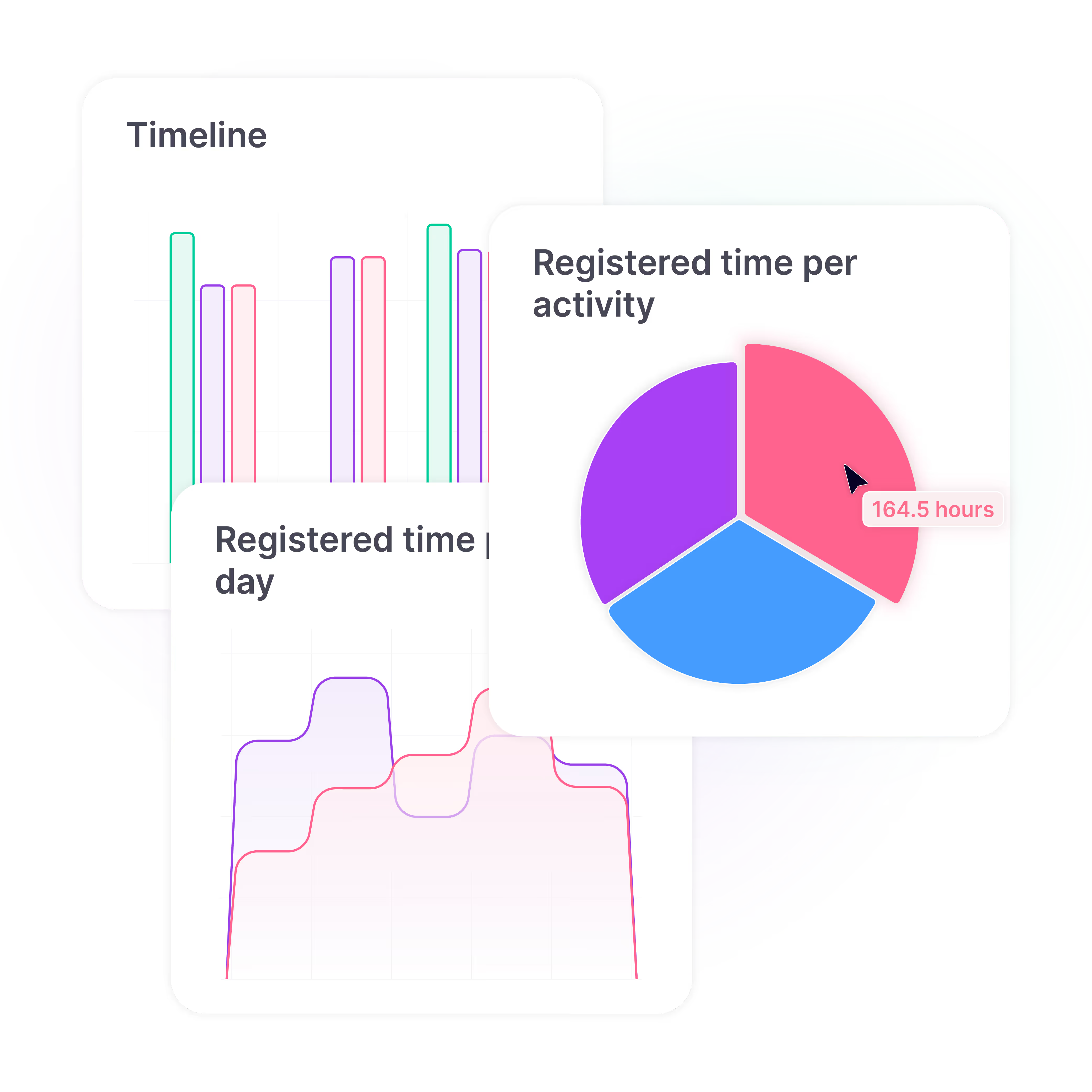
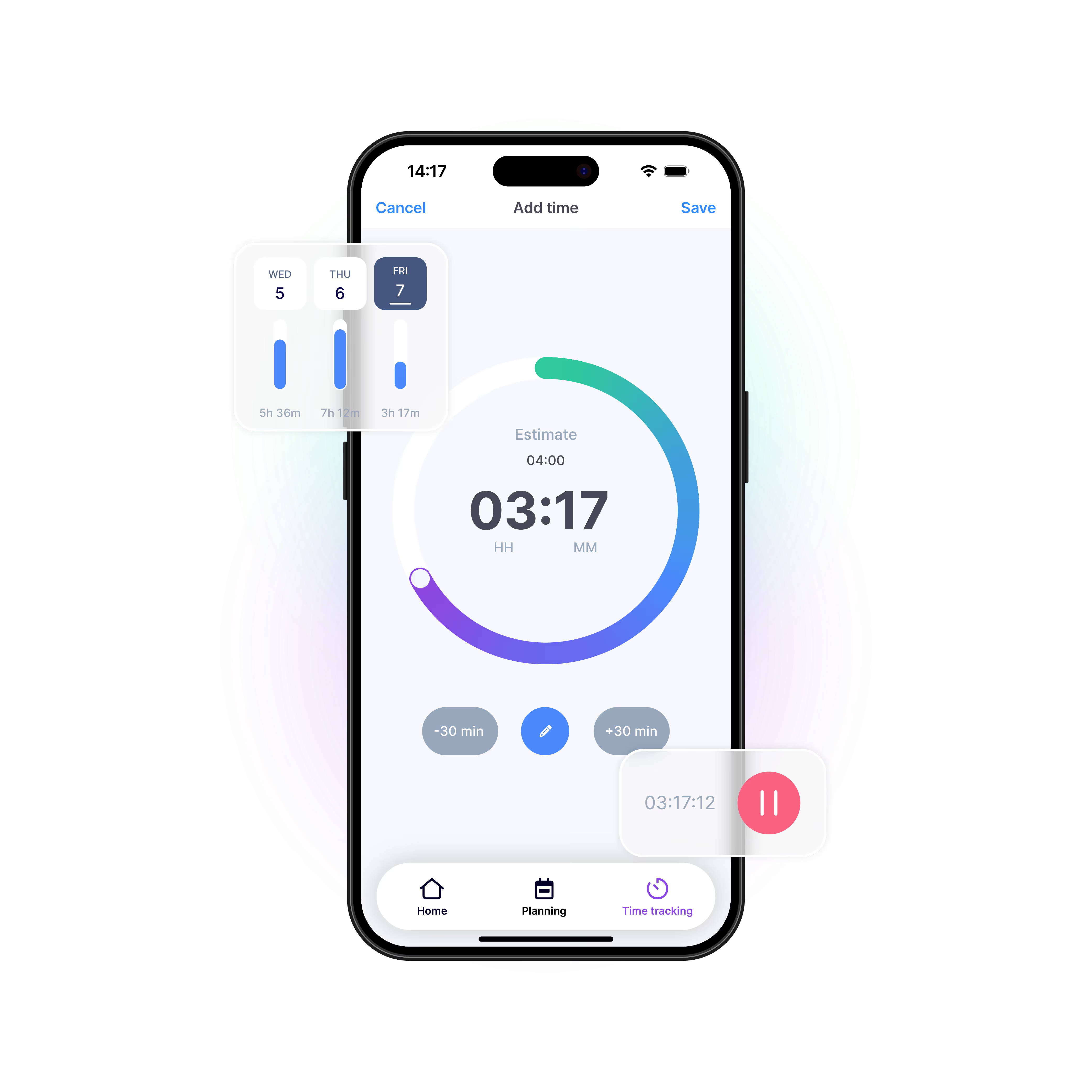
With vPlan, you not only maintain control over your planning, but also over project execution. Easily record hours worked across different activities and gain insight into progress, actual costs and productivity.
ClickUp offers time-tracking features, but provides less extensive support for linking planning, process steps and operational progress.
From shop floor to office, vPlan grows with you. Use vPlan for all planning across your organisation: from production and field service to marketing or consultancy. You decide how your planning boards look and which information matters most.

In vPlan, you only start planning when everything is ready. With the backlog feature, you collect work in one central place first. Only when it’s clear, you drag it into the planning. Looking back is easy too: the logbook lets you see up to 12 months of who changed what and when.
MS Project doesn’t offer these features by default or only includes them in certain licences.
In vPlan, you can easily log your hours, starting from the basic package. This give you insight into the actual time spent and allows for simple post-calculation or invoicing.
In Monday.com, time tracking is only available with the more expensive Pro package and is less suited for integration with ERP or accounting systems. vPlan seamlessly connects to your ERP software, so hours are processed automatically.
In vPlan, you can easily log your hours, starting from the basic package. This give you insight into the actual time spent and allows for simple post-calculation or invoicing.
In Monday.com, time tracking is only available with the more expensive Pro package and is less suited for integration with ERP or accounting systems. vPlan seamlessly connects to your ERP software, so hours are processed automatically.
From shop floor to office, vPlan grows with you. Use vPlan for all planning across your organisation: from production and field service to marketing or consultancy. You decide how your planning boards look and which information matters most.
From shop floor to office, vPlan grows with you. Use vPlan for all planning across your organisation: from production and field service to marketing or consultancy. You decide how your planning boards look and which information matters most.
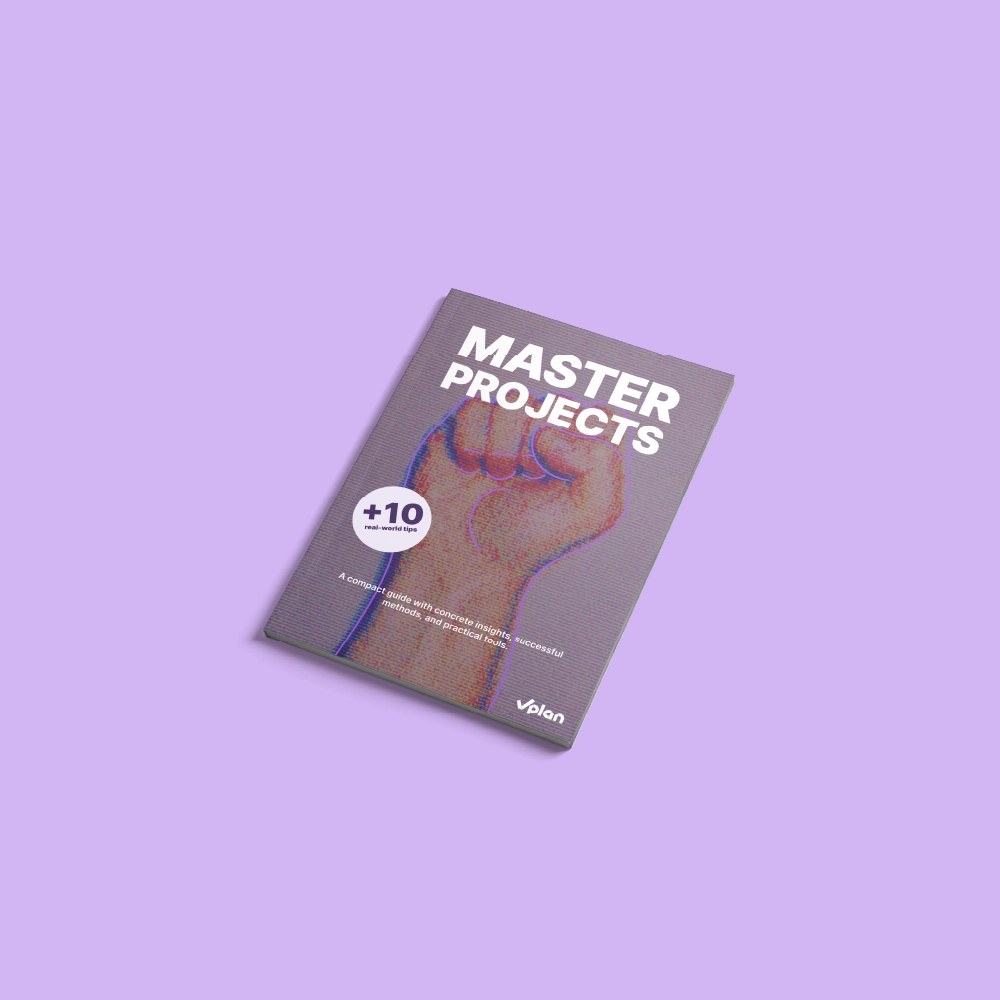
This e-book shows you how to make projects predictable and manageable. With practical checklists, smart tips, and practical examples, you’ll learn how to meet deadlines, use team capacity more effectively, and create a calmer workflow.
Download e-bookPlanning that works doesn't have to be a challenge. With vPlan, you work smarter, not harder. From simple workflows to real-time collaboration.

Asana focuses primarily on task management and collaboration. vPlan goes further, focusing on planning, capacity and execution. With vPlan, you can nog only organise tasks, but also manage availability, workload and progress within single visual environment.
Monday.com is a tool for task management and collaboration. vPlan goes a step further and focuses specifically on planning, capacity, and execution. With vPlan, you don't just plan tasks, but also people, teams, and machines, with insight into availability, workload, and progress.
ClickUp focuses primarily on task and project management and productivity. vPlan goes beyond task and project planning and helps organisations with process planning, capacity, resource planning and operational collaboration between teams.
This makes vPlan better suited to organisations that work with multiple departments, process steps and plannings.
Trello focuses primarily on task management through Kanban boards. vPlan goes beyond tasks and helps organisations plan complete processes, from requests and backlogs to execution, capacity and progress.
This makes vPlan better suited to organisations that work and plan based on a process, want to plan according to capacity and maintain control over progress.
Microsoft Project focuses on traditional project planning with Gantt charts and task dependencies. vPlan, on the other hand, is visual, flexible and user-friendly. You work with boards, maps and filters, and can plan and execute within one system. Ideal for teams that want an overview without complexity.
Yes, definitely. vPlan is ideal for teams that want more than just to tick off tasks. It combines visual planning, capacity management, time registration and local integrations with Dutch software such as AFAS, Exact and SnelStart. In addition, vPlan is available entirely in Dutch, including the interface, documentation and support.
Yes, vPlan is especially suitable for organisations that want to go beyond to-dos and task lists. It offers visual planning, capacity management, time tracking, and local integrations with ERP and accounting packages such as Exact and AFAS.
vPlan is a powerful alternative to ClickUp for organisations that need greater control over processes, capacity and operational planning. While ClickUp focuses primarily on tasks and workflows, vPlan helps teams plan complete processes in one central overview.
vPlan is a powerful alternative to Trello for organisations that need more than just task management. While Trello mainly focuses on Kanban boards and individual tasks, vPlan helps teams plan capacity, resources, projects and operational processes in one central place.
Yes, vPlan is a strong alternative to Microsoft Project, especially for teams that need simplicity, flexibility and real-time collaboration. While MS Project is particularly suitable for project managers, vPlan also makes it possible to actively involve executive staff in planning and operation.
Asana is useful for organising work, but as soon as you really want to plan based on capacity and gain insight into availability, you will quickly find it lacking. vPlan offers overview, realistic planning and automation thanks to links with your existing systems. What's more, you get personal support in English.
If you want to plan based on capacity rather than just ticking of tasks, vPlan offers more control. You gain realistic insight into your planning, can make better adjustments, and save time thanks to automatic synchronisation with your existing systems.
Many organisations start using ClickUp for projects and workflows, but encounter limitations as processes become more complex or multiple teams need to work together.
With vPlan, organisations gain:
- Greater insight into capacity and availability
- Control over the entire processBetter collaboration between planning and execution
- One central place for planning, progress and operations
This provides greater visibility and control over day-to-day operations.
Many organisations start using Trello for simple task management, but encounter limitations as teams grow or processes become more complex.
With vPlan, organisations gain:
- Greater insight into capacity and availability
- Insight into the entire process
- Better collaboration between teams
- One central place for planning, execution and progress
This provides greater control over operations rather than just individual tasks.
Because vPlan is easier to use, works visually, and actively involves your team in the planning process. You don’t need to be a project management expert to work with it. Plus, you’ll have Dutch-speaking support and consultancy, something often lacking with Microsoft Project.
Yes, and even more flexibly. In vPlan, you can use different views within a single planning: timeline, calendar, list or Kanban board. This allows you to view the same data in multiple ways and create the overview that suits your team.
Yes, and even more flexible. In vPlan, you can use different views within the same planning, such as timeline, calendar, list or Kanban board. You view the same data from multiple perspectives, such as by team, employee or status. This way, you always get the overview that suits you best.
vPlan is specifically designed for organisations that need insight into capacity, availability and workload. You can immediately see how much work is planned, where capacity is available and where bottlenecks are emerging.
ClickUp focuses primarily on tasks and workflows, which means capacity planning is less central to the platform.
vPlan is specifically designed for organisations that need insight into capacity, availability and workload. You can immediately see how much work is planned and where overloads are occurring.
Trello focuses primarily on task management and Kanban boards, which means more advanced capacity planning is limited.
In many cases, yes. With vPlan, you get all core functionalities in one clear package, without extra licences for time tracking or integrations. Microsoft Project often requires additional modules or tools for a complete solution.
ClickUp offers many options for task management and workflows, but organisations often experience greater complexity when multiple teams, process steps and dependencies come together. Capacity and execution are also less visible within the planning.
vPlan brings processes, teams and capacity together in one central overview, enabling organisations to better manage feasibility and progress.
Trello works well for simple workflows and smaller teams, but organisations often encounter limitations when multiple projects, departments and plannings come together. Information becomes fragmented across different boards, and capacity or dependencies are less visible.
vPlan brings teams, projects and plannings together in one central overview, enabling organisations to better manage progress and feasibility.
It depends on the type of organisation and the complexity of the planning. ClickUp is particularly suitable for task management, workflows and productivity. vPlan is designed for organisations that need greater control over capacity, processes and operational planning.
For teams that want to look beyond just tasks and statuses, vPlan provides greater visibility and support for day-to-day operations.
It depends on the type of organisation and the complexity of the planning. Trello is particularly suitable for simple task lists and Kanban workflows. vPlan is designed for organisations that need greater control over capacity, projects, resources and operational processes.
For teams that want greater insight than just the status of their tasks, vPlan offers greater visibility and flexibility.