

Plan with clarity in the calendar view

Planning stuck in your head or messy lists? They mainly cause stress. With the calendar view, you can see at a glance what needs to be done, where bottlenecks are, and how much capacity you still have.


4.6/5
Trusted by 1.000+ customers
Twee collega's die werken op een laptop met daarop zichtbaar de vPlan kalenderweergave.

Chosen as the productivity platform by

From chaos to control with calendar view

From messy processes to stage-based overview

Multiple projects at once? Without an overview, you don’t know who’s working on what. The calendar view shows you what’s happening in each stage, from preparation to delivery.
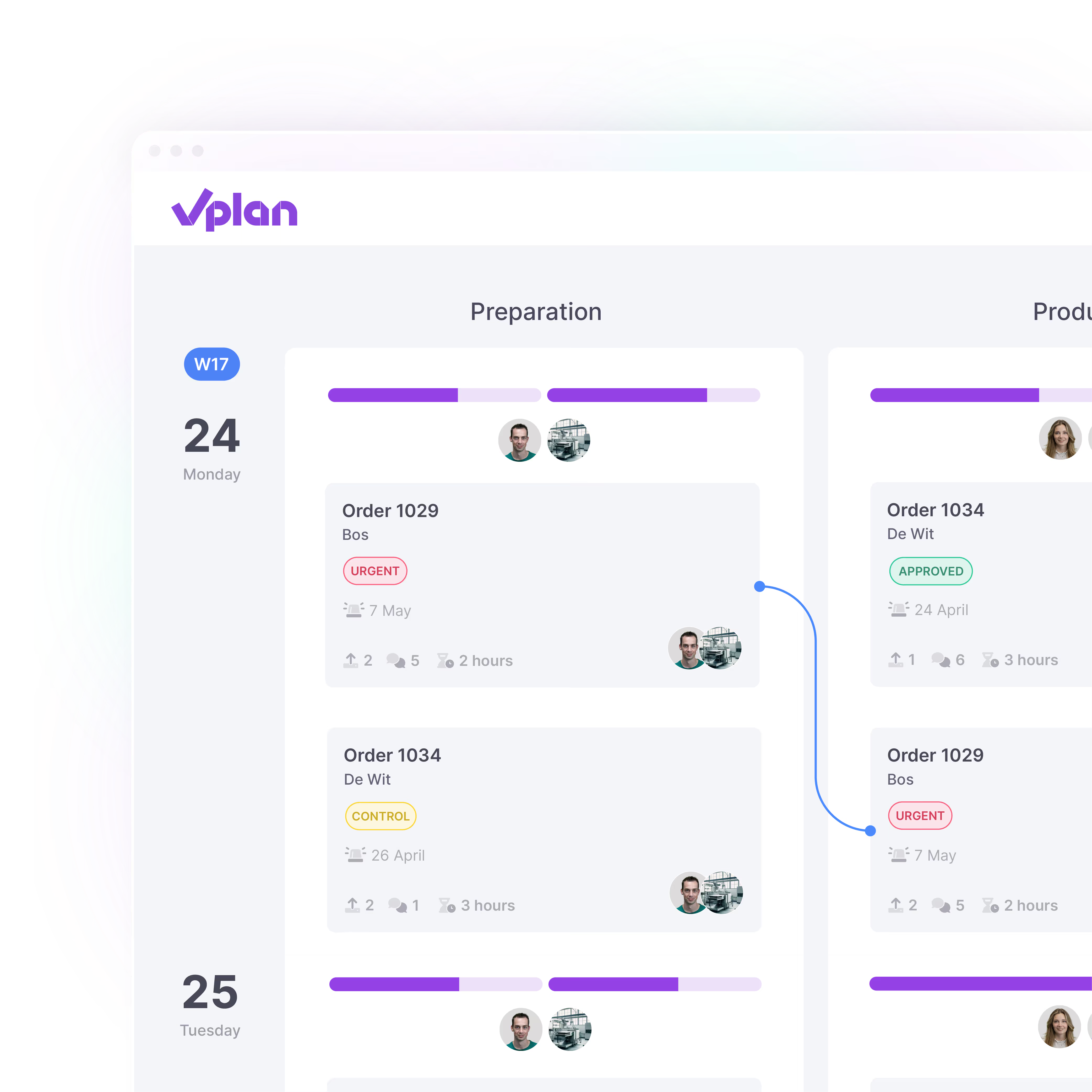
  • View per week which tasks are in which stages
  • Easily drag work to the right day or person
  • Spot bottlenecks before they cause delays
vPlan interface met projectplanningsoverzicht waarin verschillende projecten, teamleden en statussen zoals akkoord, controle en spoed worden weergegeven in een visuele tijdlijn per dag.

Capacity under control, without the calculations

Planning too much on one day? The capacity bars in the calendar instantly show where there’s space and where it’s tight. This helps you avoid overload and plan with confidence.

  • See over- or undercapacity at a glance
  • View capacity by employee, day or stage
  • Plan with confidence, not on gut feeling
vPlan interface met medewerkerplanningsoverzicht waarin de beschikbaarheid, geplande uren en ongeplande tijd per medewerker worden weergegeven voor efficiënte capaciteitsplanning.

Focus on what really matters

A full schedule is not a clear schedule. In the calendar view, quickly filter by stage, statuses or labels, so you only see what’s relevant to you or your team.

  • Zoom in on priorities or specific teams
  • Save multiple views: for example per department or type of work
  • Display only the information you need
Twee collega’s die samenwerken achter een laptop in een moderne kantoorruimte, lachend terwijl ze aan een project werken.

Quickly adapt to last-minute changes

A sick call, urgent job or new priority? In the calendar view, you can adjust your planning in just a few clicks without losing your overview.

  • Move work with drag & drop, hassle-free
  • Easily exclude public and personal holidays
  • Switch between different dimensions with one click
vPlan projectoverzicht met drag-and-drop interface waarin verschillende projecten, statussen en teamleden per dag zichtbaar zijn voor overzichtelijke projectplanning.

One platform.
Endless possibilities.

For more overview, better collaboration and control over your entire process

Alles op één plek

Meerdere Tools.
Naadloze Integratie.

Eén platform dat alles met elkaar verbindt. Schakel over naar een overzicht van al je taken, projecten en workflows met integraties die jouw team op één lijn houden.

Meer informatie ->

Discover how easy planning can be

Planning that works doesn't have to be a challenge. With vPlan, you work smarter, not harder. From simple workflows to real-time collaboration.

vPlan supportmedewerker met headset glimlacht en wijst naar de camera op het vPlan kantoor.

What customers say

“We can't live without vPlan anymore!”

Read how Evany at Wastoren gained more time, efficiency, and a complete overview of the process with vPlan.

"vPlan has been the best choice we’ve ever made"

Read how Marco at PPD saves 1 FTE per week, reduces manual work, and has made a major efficiency leap thanks to vPlan.

"We can see where we stand at a glance."

Read how Michael at Sempergreen not only saves time with vPlan, but also gains more overview and reduces paper use.

"More room for creativity, less hassle in Excel"

Read how 1609Bold uses vPlan to plan flexibly, work more efficiently, and make time for creative thinking.

“vPlan connects our departments and the entire operation”

Read how Brunink Group saves hours each week with vPlan, brought more calm to the organisation, and gained full visibility across all departments.

“With vPlan, we finally have control over our projects”

At KNHS, all project information is now in one central place, accessible to everyone. No more scattered Excel files or separate documents.