


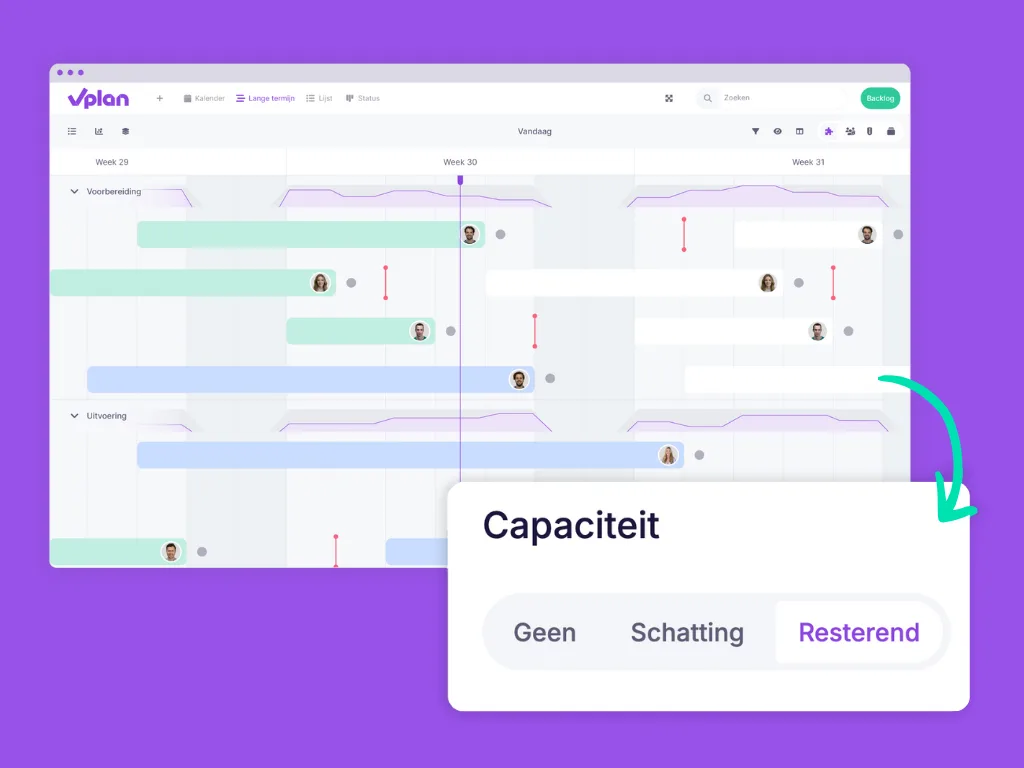
Capacity Based on Remaining Hours ⏰
We’ve introduced a smart update: your available capacity can now be calculated more accurately based on your progress.
What’s New?
Previously, vPlan only considered your estimated hours versus your scheduled hours. But with the new “remaining” option, your actual progress is now factored into the calculation.
Example:
Let’s say you’re available for 40 hours in a week, and you’re working on Project Jansen, which has an estimated 10 hours. You’re scheduled for 3 days on this project. On Monday, you work 8 hours on the project and log this time. When you enable “remaining capacity,” the remaining 2 hours are automatically distributed across the next days instead of sticking to the original 10 hours.
How Does It Work?
In the capacity settings of the configuration, you now have three options: none, estimate, and remaining hours. When you choose remaining hours, you’ll see exactly how many hours you still have left in your capacity bar. The hours you log today will automatically be included in the calculation of your remaining capacity for the next day. Want to learn more? This article explains it all in detail.
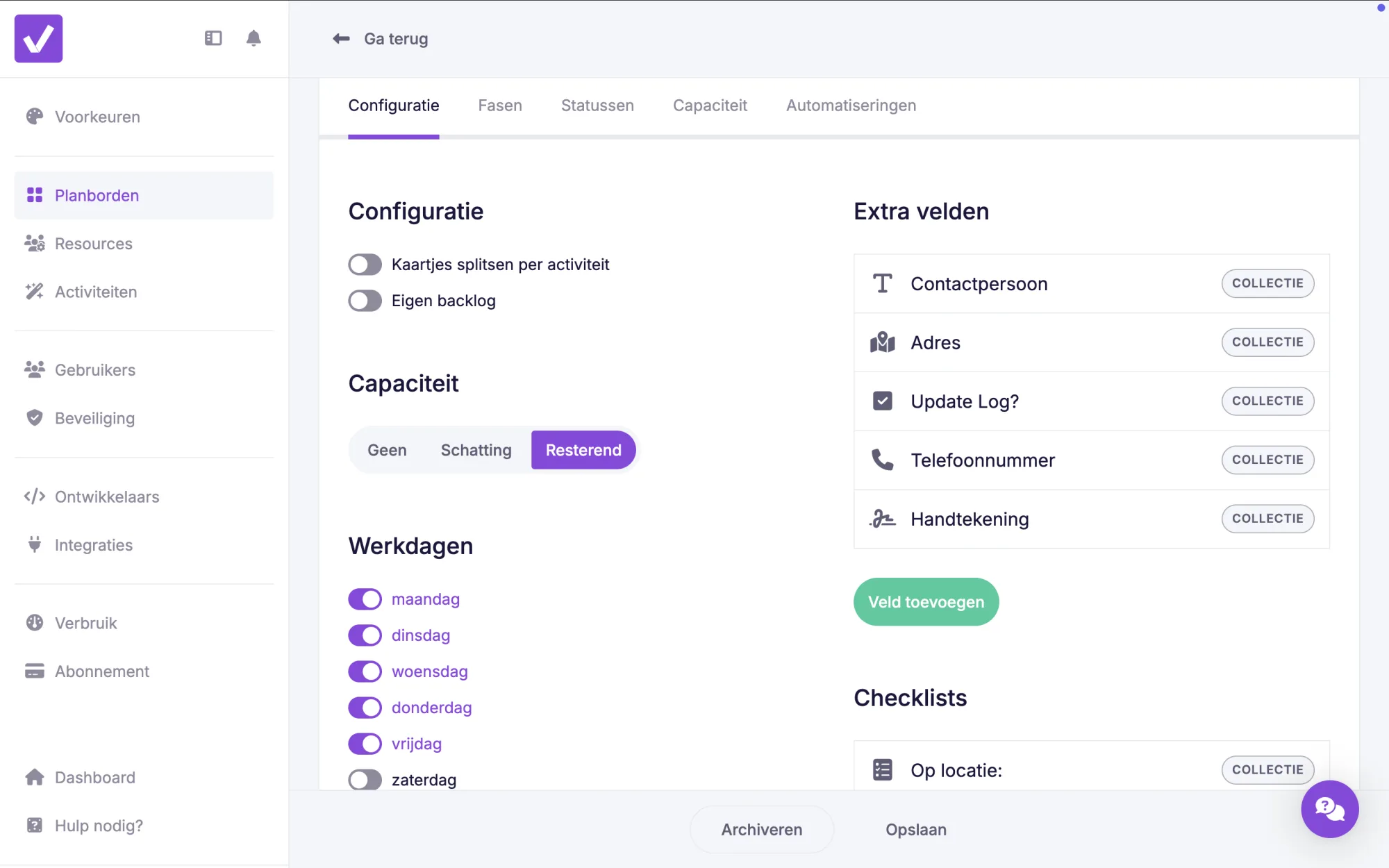
No more confusion about how much time you have left for other tasks. Everything is updated automatically so you can focus entirely on your work.
Easily Rearrange Checklist and Dropdown Menu Items 🔃
You can now easily reorder checklist items and dropdown menu items in custom fields. No more hassle with starting over!
As the end of the year approaches, now’s the perfect time to review your planning alongside your Christmas preparations. Make use of the latest features to start the new year organised and fresh. Try out this new functionality and get the most out of your planning! 🎄✨
Try it in your own vPlan
Every new feature is in the free trial.



