


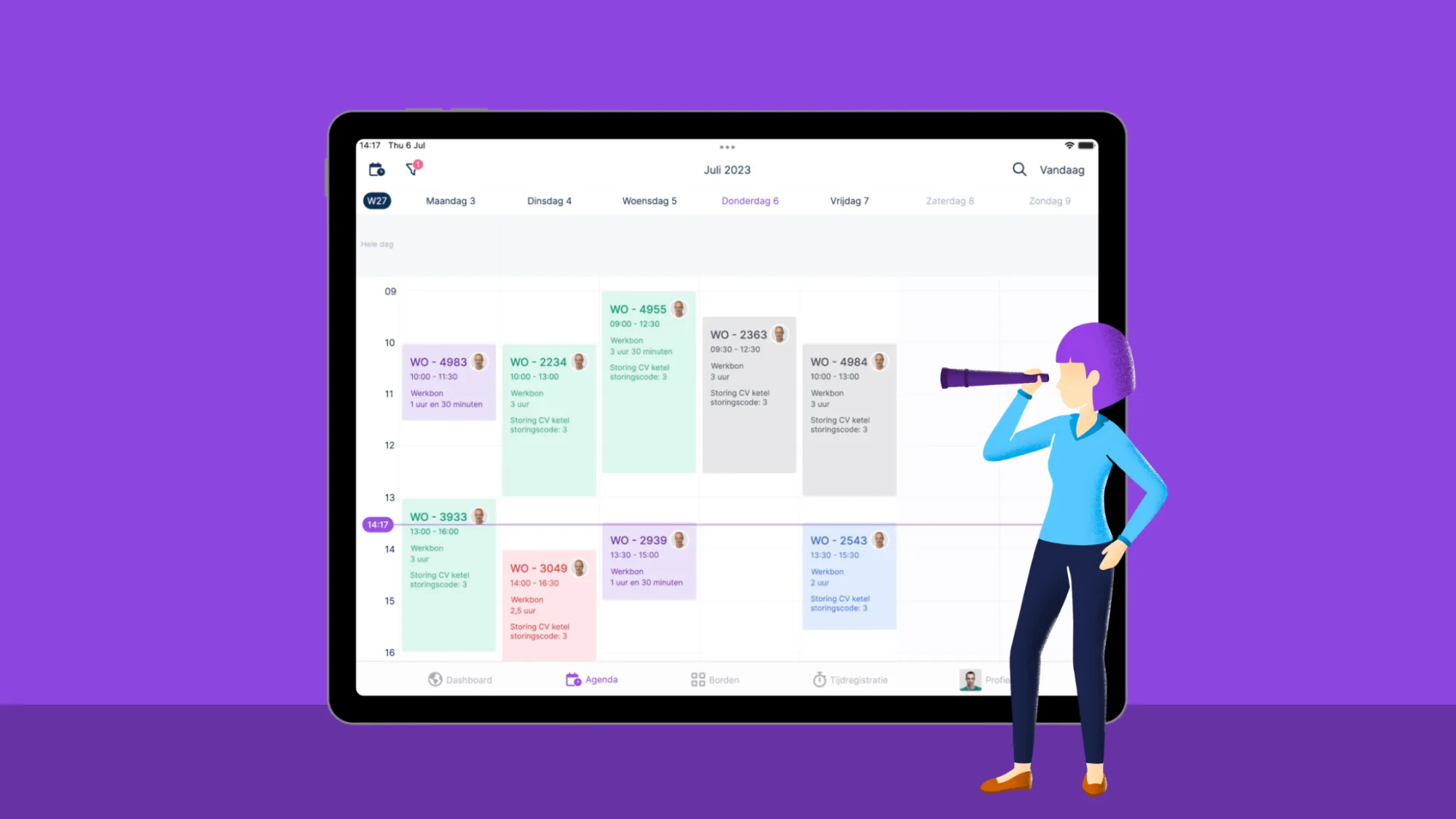
Kanban in brief
Kanban is a visual method for managing workflow. Tasks are displayed as cards on a Kanban board and move through columns that represent process steps. Teams work with the pull principle, which means that new work is only started when there is capacity available. By limiting Work in Progress (WIP) and evaluating regularly, a predictable workflow is created.
What is Kanban?
Kanban is a method for organising work through a visual system. Tasks are placed as cards on a board and move step by step through a workflow.
The core of the Kanban method consists of three elements: visualising the workflow, limiting Work in Progress and continuously improving the process based on flow and feedback. Kanban is therefore often seen as a complete Kanban system for workflow management, not just as a board with tasks.
Kanban is often applied within Agile teams, but the method originally comes from Lean.
Kanban in one sentence: Kanban helps teams manage work clearly and complete tasks more quickly by making the workflow visible and improving flow.
What does Kanban mean?
The word Kanban (看板) comes from Japanese and literally means “signboard”. It refers to a visible signal that provides information about what is happening.
A Kanban board serves the same function. At a glance, it shows which tasks are open, which tasks are in progress and where delays are occurring.
Where does Kanban come from?
Kanban originated in the 1950s at Toyota. Taiichi Ohno developed the system as part of Lean manufacturing and the Just-in-Time principle. The aim was to reduce waste and produce only when necessary.
This is where the pull principle originates. Work is only started when capacity is available. Instead of planning work in advance and “pushing” it forward, it is taken up when the workflow provides room for it.
Today, Kanban is applied worldwide within Agile teams and modern project environments. More background on its origins can be found via Wikipedia.
Kanban in project management and knowledge work
Kanban is widely used in areas such as software development, marketing, product development, HR processes, support teams and internal projects.
The method fits well in environments where work arrives continuously and priorities may change. By visualising workflows and making capacity transparent, greater control over execution and planning is achieved.
In this blog, also read how to create an efficient project plan.
What is a Kanban board?
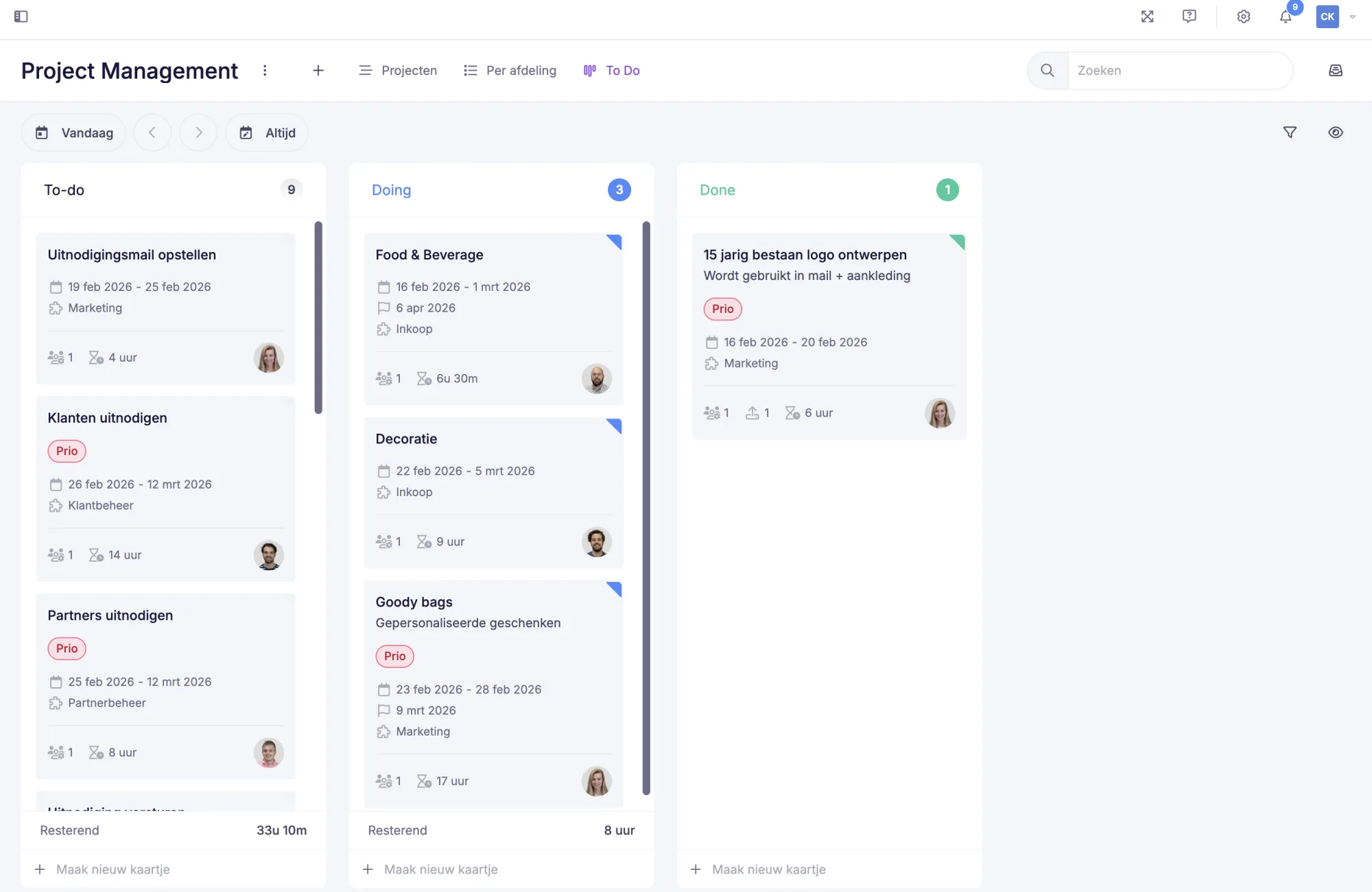
A Kanban board is the visual foundation of the method. It consists of columns that represent process steps. Tasks are displayed as cards and move from left to right through the process.
A simple workflow looks as follows:
To Do -> Doing -> Done
More complex processes can consist of multiple steps, for example:
Backlog -> In progress -> Review -> Test -> Done
The purpose of a Kanban board is to gain insight into where work is located, how it flows and where the workflow slows down.
Kanban example: how a workflow works in practice
Suppose a marketing team works with the following workflow:
Backlog -> Writing content -> Review -> Publish
The team agrees that a maximum of three tasks may be in “Writing content” at the same time and a maximum of two in “Review”.
When the review column becomes full, no new content is started. The review phase must first be completed. In this way, the total amount of work remains manageable and the average lead time becomes shorter.
This shows how limiting Work in Progress has a direct impact on the stability of the workflow and on productivity.
Digital Kanban board in vPlan
In many organisations, Kanban is applied digitally, especially when teams work in a hybrid setup or across multiple locations. A digital Kanban planning board makes it possible to track tasks in real time and combine workflow with planning and capacity.
In vPlan, you can manage tasks through a Kanban view in which cards move through columns. In addition to the status of tasks, you can also see your team’s available capacity.
How does the Kanban method work?
The Kanban method is based on four core principles. These Kanban principles ensure that the board not only provides clarity, but also helps to improve the workflow.
Visualise the work (working visually)
By making tasks visible on a Kanban board, clarity is created. The team can see which tasks are open, which tasks are in progress and which tasks have been completed. This makes it easier to discuss priorities and recognise bottlenecks more quickly.
Limit Work in Progress (limiting WIP)
With WIP limits, you agree on how many tasks may be in progress at the same time. This prevents teams from taking on too much at once and helps to complete tasks more quickly.
Example of Work in Progress limits:
- In progress maximum 3 tasks
- Review maximum 2 tasks
Without WIP limits, work often remains open for too long. Multitasking increases and lead time rises. By limiting WIP, greater focus is created.
Also read: how do you create a capacity plan?
Manage the flow
Kanban is about flow. The goal is for work to move smoothly through the process, without structural bottlenecks.
If tasks repeatedly remain in one column, this is a signal that there is a bottleneck. This may be caused by insufficient capacity, lengthy approvals or inadequate information. By monitoring the flow and discussing bottlenecks, the workflow becomes more predictable.
Also read: resource planning explained: control over people and resources.
Continuous improvement
Kanban is built on continuous improvement. Teams regularly evaluate whether the process is still working well and where adjustments are needed.
This may concern WIP limits, process steps, task distribution or clear agreements about when a task is completed.
More explanation about Kanban as a framework can be found here via Atlassian.
Measuring Kanban: how to improve your workflow
Kanban is often used to shorten lead time and make work more predictable. This is done using simple metrics that provide insight into the workflow.
Lead time
The total time between creating and completing a task.
Cycle time
The time between starting a task and completing it.
Throughput
The number of tasks completed within a given period.
By reviewing these metrics regularly, it becomes clear where delays occur and which process step requires improvement.
Cumulative Flow Diagram (CFD)
A Cumulative Flow Diagram shows how much work is in each stage. When one stage consistently becomes fuller, this usually indicates a capacity or process problem.
A well-maintained Kanban board often already provides a clear signal, but a CFD helps to further substantiate the insight.
How doe you get started with Kanban? (Step-by-step plan for a Kanban board)
Implementing Kanban can be done step by step. Many teams start with a simple board and then build on it.
Step 1: Map out your workflow
Determine which steps work goes through from start to completion.
Step 2: Create columns on the Kanban board
Turn these steps into columns.
Step 3: Add tasks as cards
Each card contains a task name, owner and, if applicable, a deadline.
Step 4: Set WIP limits
Limit the number of tasks that may be in progress at the same time.
Step 5: Work with the pull principle
Only start new work when there is capacity available.
Step 6: Plan fixed evaluation moments
Regularly discuss bottlenecks and improvements.
Kanban rules and process agreements
A Kanban system works better when teams make clear agreements about how tasks move through the process. These are also referred to as policies.
Examples of Kanban rules:
- A task may only move to Done once it has been checked.
- If a WIP limit has been reached, no new work is started.
- A task may only move to Review when all information is complete.
- Urgent tasks can be given a separate lane.
These agreements ensure that everyone works in the same way and that the board remains reliable.
Kanban values
Kanban is not only a method, but also a way of collaborating. The most important Kanban values are transparency, focus, flow, collaboration and continuous improvement.
These values ensure that teams not only track tasks, but also actively work on process improvement.
Advantages of Kanban
Kanban is often chosen because it provides quick insight and is relatively easy to implement. Many teams experience the following advantages:
- Greater clarity and transparency
The board makes it visible what is happening and where the priority lies. - More focus
By limiting WIP, tasks are completed more quickly. - Faster identification of bottlenecks
When a column becomes full, it is immediately clear where delays are occurring. - Flexibility with changing priorities
New tasks can be added as soon as there is capacity. - Better predictability
Through insight into workflow and lead time, planning becomes more realistic.
Kanban tools: which software can you use?
A Kanban board can be created physically with post-its on a whiteboard. In practice, many teams choose digital tools, especially when working remotely or when multiple teams collaborate.
Well-known tools for Kanban include Trello, Jira, Asana and vPlan. These tools make it possible to move cards, add labels and manage workflow digitally.
For teams that want to combine Kanban with planning and capacity, it is important that the tool goes beyond just a board. In vPlan, you can link Kanban to capacity planning, so you not only see what needs to be done, but also whether your team has the capacity for it.
Conclusion
Kanban helps organisations to make workflow transparent and keep work manageable. By limiting Work in Progress and actively monitoring flow, greater predictability in planning and execution is created.
In combination with insight into capacity, it becomes clear what is realistically achievable within a team.
Would you like to see how this works in practice? With vPlan, you can combine a digital Kanban board with capacity planning and gain real-time insight into tasks and workload. Request a demo or try it yourself.
Try it in your own vPlan
Every new feature is in the free trial.



