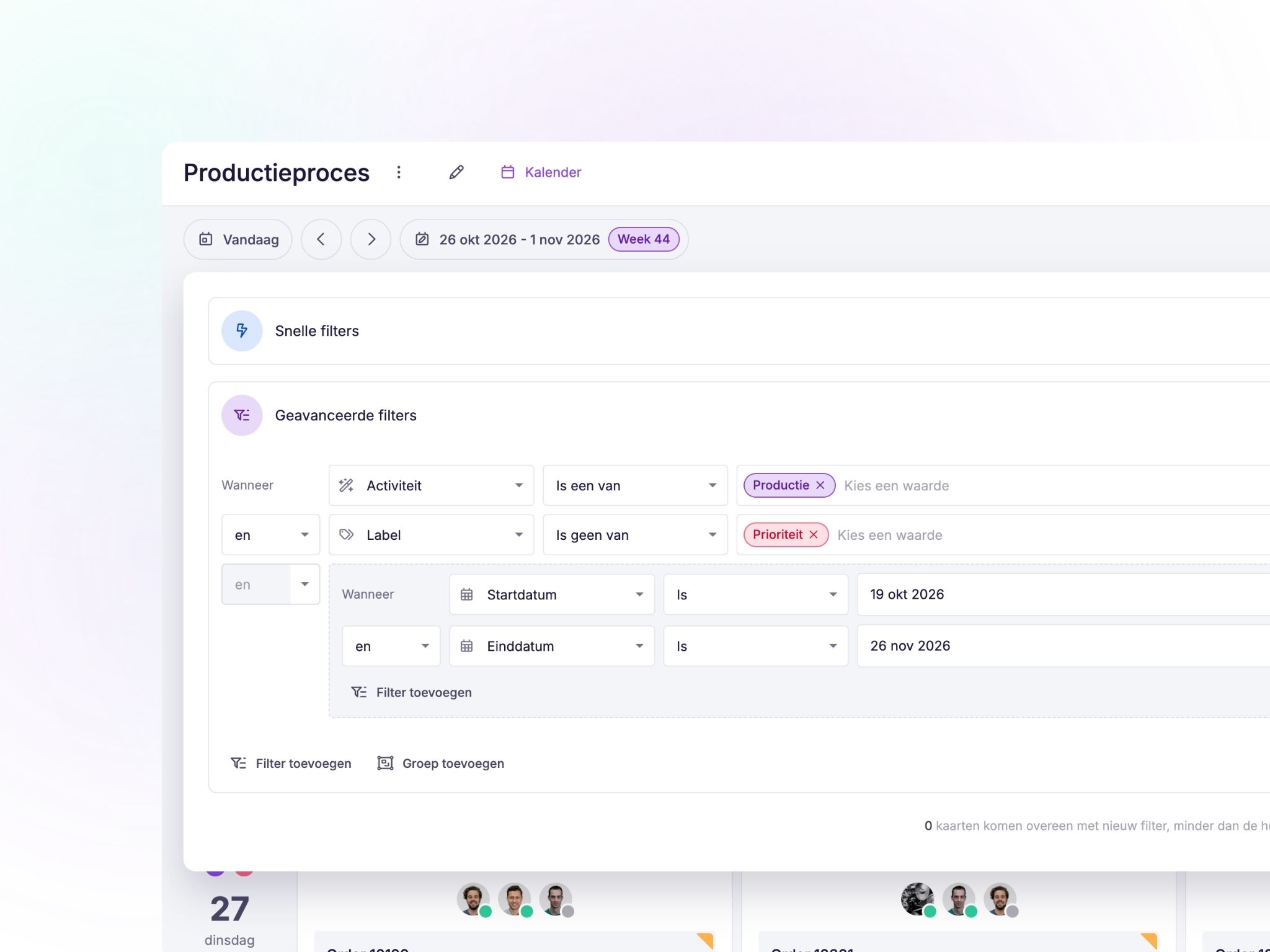
Advanced filtering in your view 🔎
A highly requested feature from our community is now available! We've significantly expanded the filtering options in vPlan.
With the new advanced filter, you can now filter by all available data. This makes it easy to create a filter that shows exactly the tasks that are relevant to you.
Whether you want to find specific tasks or create an overview that suits your way of working, the advanced filtering options help you find what you're looking for faster.
Add subcards more easily
Do you work with subcards a lot? Then we've got a handy improvement for you.
From now on, you can add subcards directly from the list and timeline. This makes it easy to break down work into smaller tasks without having to open a card first. That's a few clicks saved!
Add dates faster in the timeline 📅
We've also made planning tasks easier in the timeline.
Does a card not have a date yet? You can easily add one using the Alt key (Option on Mac). This allows you to plan tasks faster without leaving your timeline.
Two new widgets in Home for a better overview 🧩
We've added two new widgets to give you an even clearer overview of your daily tasks.
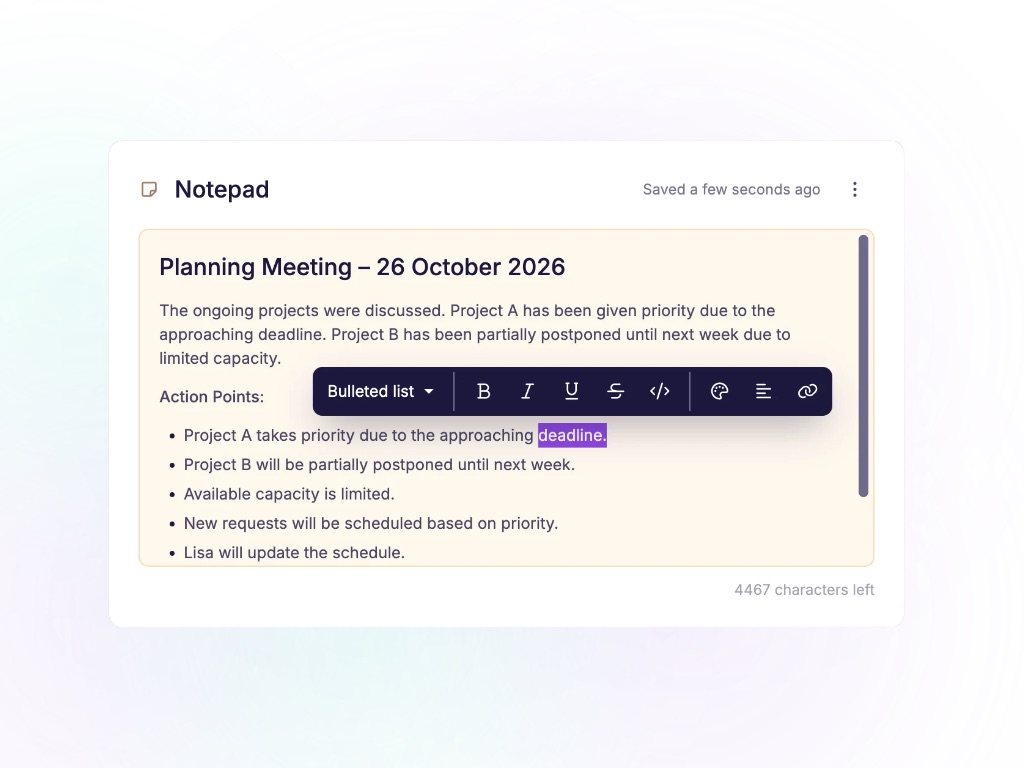
Notepad
Want to quickly jot something down? The new notepad widget gives you a handy place to keep your notes. This way, you can easily keep important information at your fingertips. Please note that this notepad is for your personal use only, and its contents are not shared with other users.
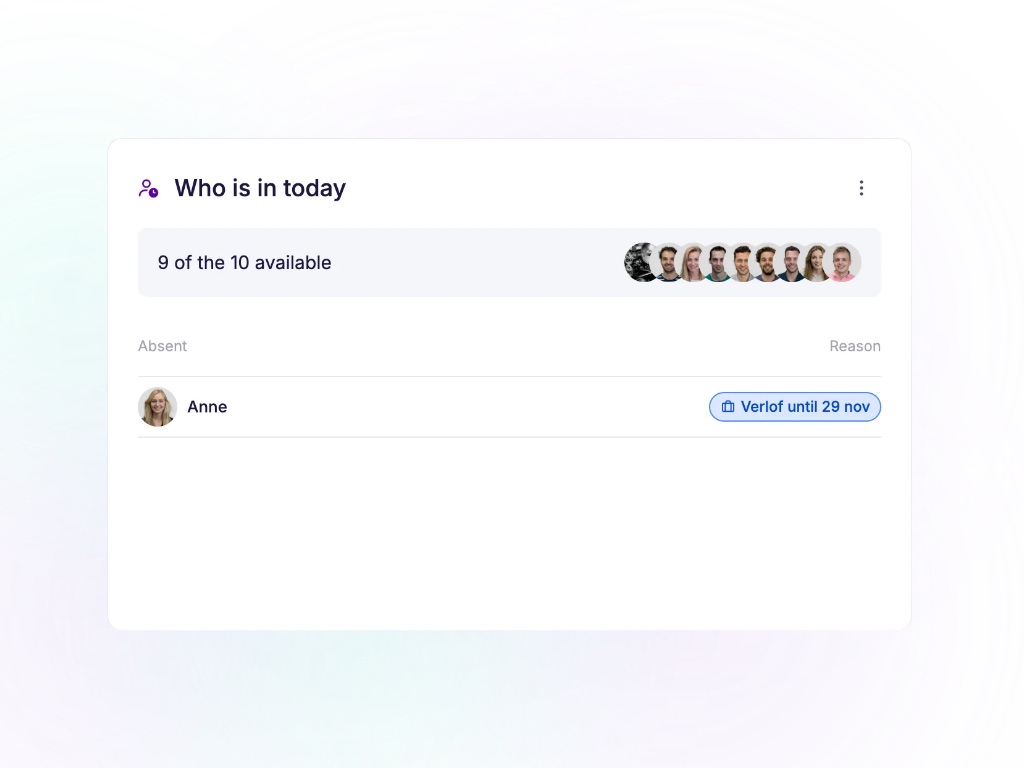
Who's in today?
With the new 'Who's in today?' widget, you can instantly see which colleagues are absent. Handy when you want to distribute tasks and take your team's availability into account. Availability is determined based on your resources' work schedules and absences.
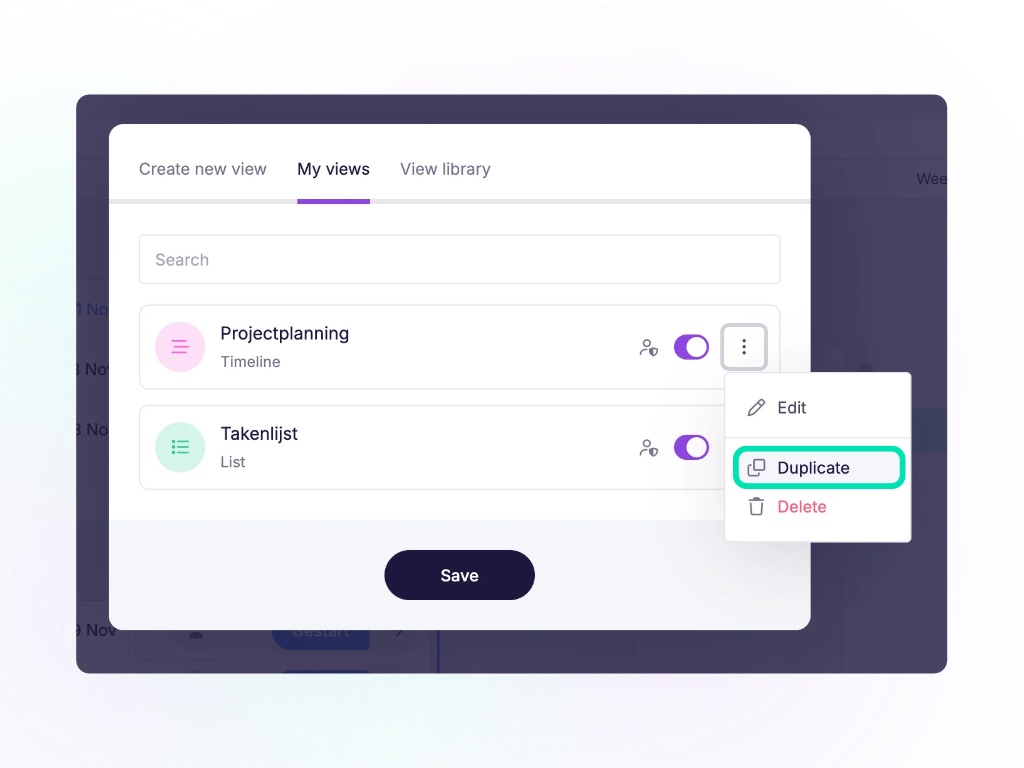
Duplicate your custom views 🖼️
Have you created a custom view that you'd like to use again, but with slightly different filters? You no longer need to set it up from scratch.
From now on, you can easily duplicate your custom views. This allows you to reuse existing settings and quickly create a new view that suits your tasks.
What do you think of these improvements?
We continue to develop vPlan based on your feedback. Do you have an idea or is there a feature you're still missing? Share your suggestion via our community and help shape the future of vPlan.
Happy planning! 💜
Try it in your own vPlan
Every new feature is in the free trial.